01
Welcome
02
Details
03
Participants
04
Settings
05
Edit Setup
01
Agency - Adaptability - Aspirations - Internal State
Administrative Setup
Here you can set up the AAA+ assessment to be used by a group/ team.
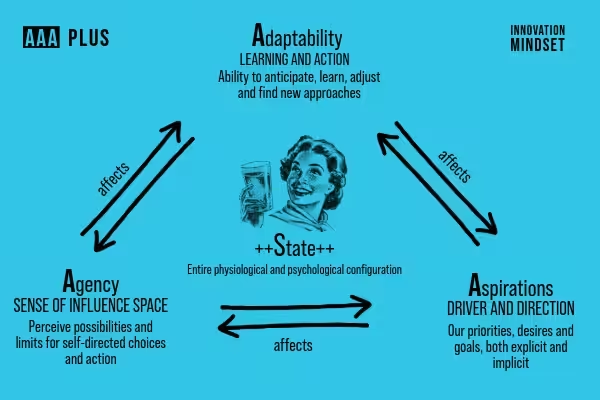
After completing the setup below you will receive the access codes to share with participants.
02
Facilitator
Your Details
Enter your team and contact details. These are used to send you your facilitator access code.
03
Participants
Participant Fields
These fields are shown to participants when they start the assessment. Toggle which ones to collect and which are required.
| Field | Required |
|---|---|
| First Name — visible to you alongside responses | |
| Last Name — visible to you alongside responses |
Email is always collected from participants for assessment delivery purposes but is not displayed in your results.
04
Final Step
Settings
Notifications
Deadline
Optionally set a closing date. After this date participants will no longer be able to submit.
05
Your Assessment
Edit Setup
Edit your team details, items, and settings. Click Save Changes when done.